Lesson-295
Translation made by MARION

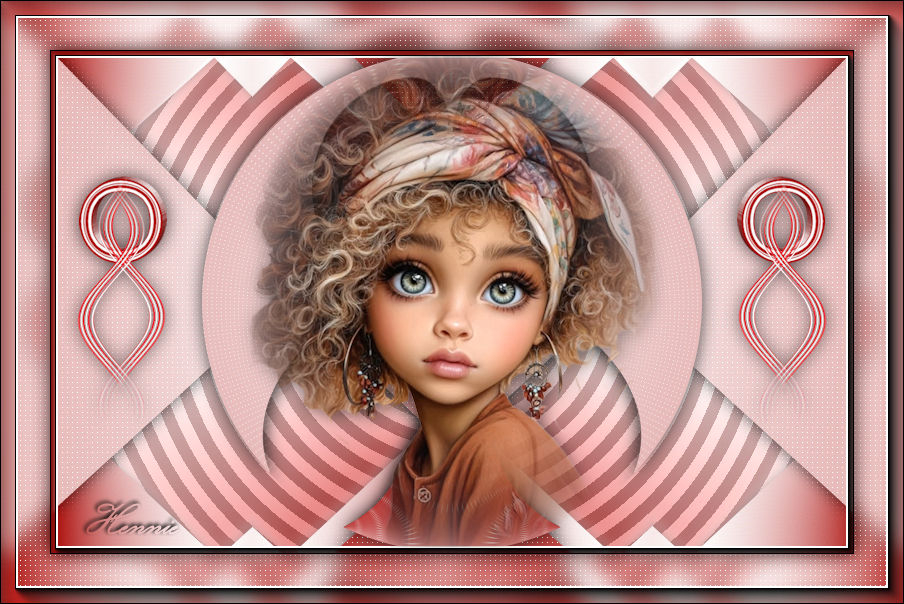
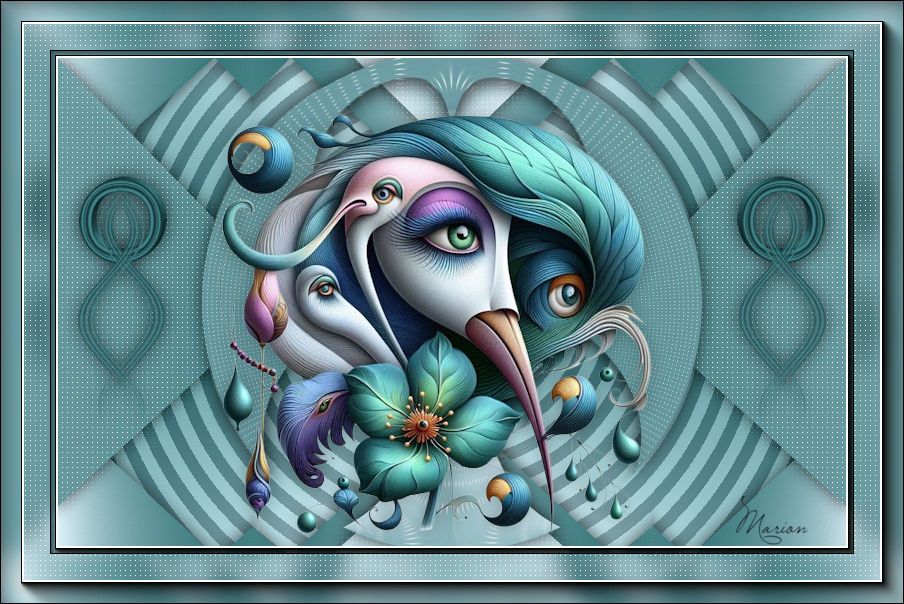
Material

Colors
Foreground color #af1714--- Background color #ffffff
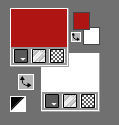
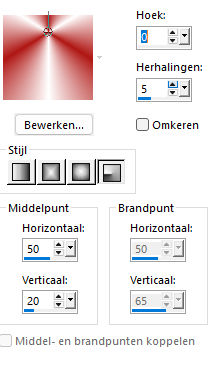
Replace your foreground with a foreground/background radial
gradient configured like this
Centerpoint ---Horizontal 50----Vertical 20
File---Open a new transparent image in this size
1.
Width---800---Height---500 Pixels..
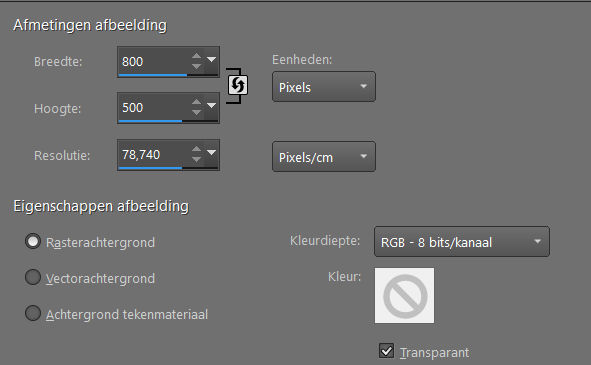
Fill the layer with the gradient
2.
Layers---Duplicate
Image - Mirror - Mirror vertical ( Image - Flip in older versions of PSP)
Layers---Properties---Opacity 50%
Layers---Merge---Merge Down.
3.
Effects---User Defined filter---Emboss_6
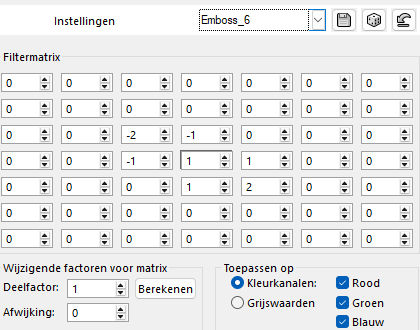
4.
Selections –load/save selection –load selection from disc and select my selection: ---mb-2026
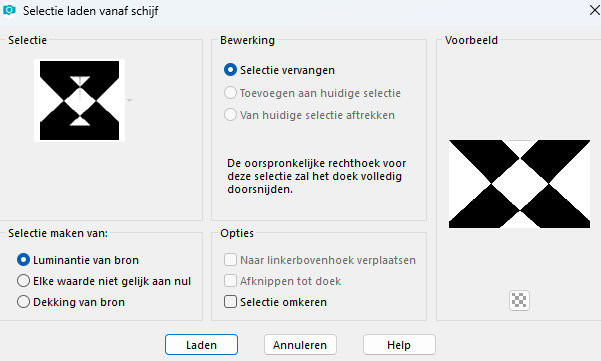
Selections---Promote selection to layer.
Selections---Select none
5.
Effects---3D Effects--- Drop Shadow--- 0---0--70---25. Color black.
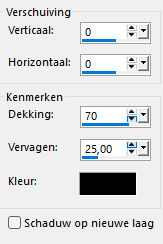
6.
Layers---Duplicate
Effects---Plugins---<I C Net Software> Filters in Unlimited 2.0>---Simple---Centre Tile
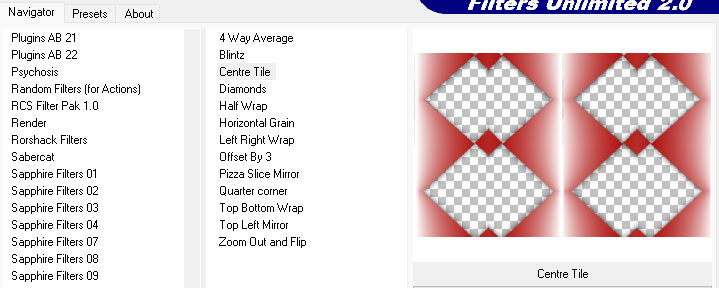
7.
Layers ---Arrange ---Move Down
8.
Activate the top of the layer palette
Effects---Plugins---AP 01 (Innovations)-lines-Silverlining ---Dotty Grid---5---min1---10---3x255
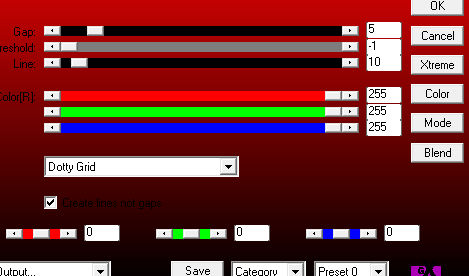
9.
Layers---Duplicate
Effects---Plugins—Flaming Pear---Flexify 2---latitude---6---Input op equirectanglar---Output op Lagrange---Rest Standard
(example is in the zip file)
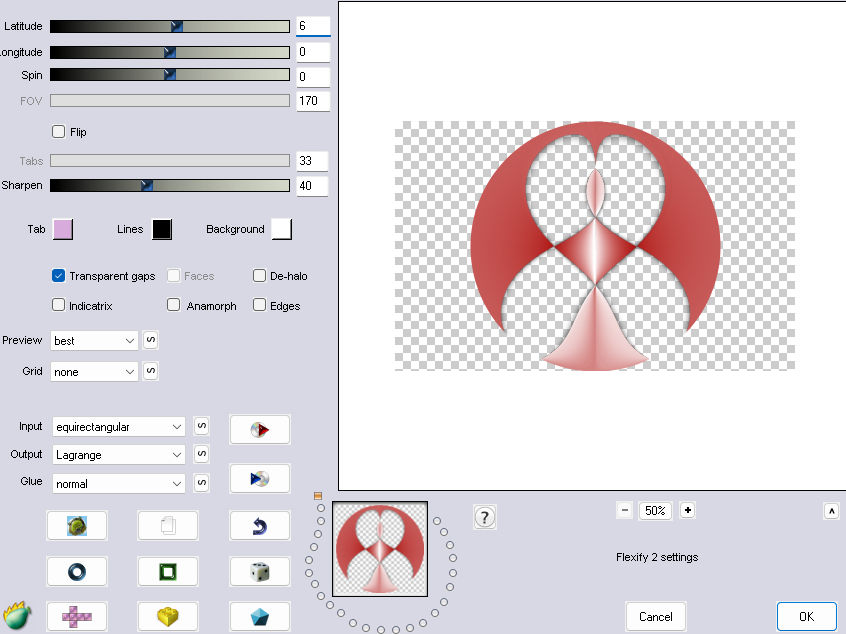
10.
Effects---3D Effects--- Drop Shadow--- 0---0--70---25. Color black

11.
In the layer palette---Activate the bottom layer ---Raster 1
Effects---Plugins---<I C Net Software> Filters in Unlimited 2.0---VM_Extravaganza---Radial Transmission---14----31---128
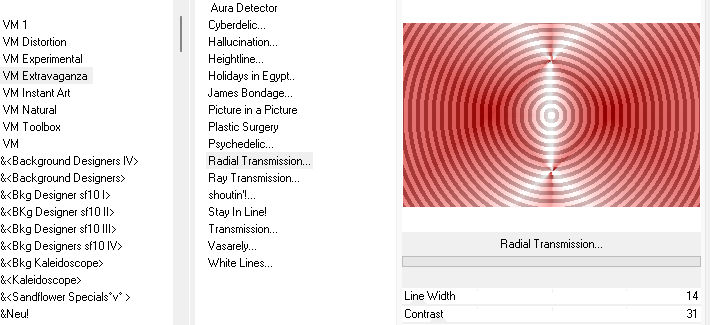
12.
Open tube ---deco-1-295.pspimage
Edit---Copy
Activate your work ---Edit - Paste as new layer
Layers ---Arrange---Bring to Top
13.
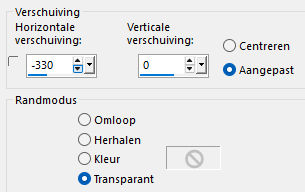
Effects---Image Effects ---Offset---min 330---0--- Transparent and Custom checked.
14.
Layers-Duplicate
Image—Mirror-Mirror Horizontal (Image-Mirror in older versions of PSp
Layers---Merge---Merge Down
Effecten---3D-effecten--- Slagschaduw--- 0---0--70---25. Kleur zwart.
15
Image --- Add Borders---Symmetric checked --- 2 pixels--- Dark color
Selections---Select All
Edit---Copy
Image --- Add Borders---Symmetric checked ---50 pixels--- Color does not matter
Selections---Invert
Edit --- Paste into Selection.
Adjust---Blur---Gaussian blur ---Radius 10
16.
Effecten---Insteekfilters---AP 01 (Innovations)-lines-Silverlining ---Dotty Grid---5---min1---10---3x255
17.
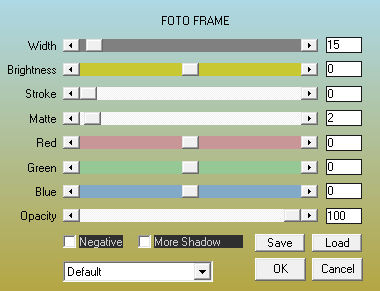
Effects---Plugins---AAA Frames---Foto Frame---15—0---0---2---rest standard
18.
Selections---Invert
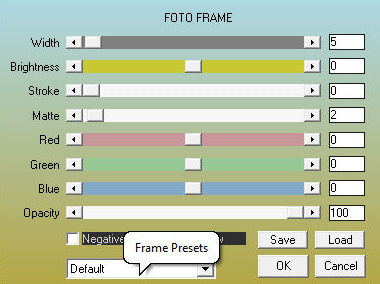
Effects---Plugins---AAA Frames---Foto Frame----5---0---0—2--- rest standard
Effects---3D Effects--- Drop Shadow--- 0---0--70---25. Color black.
Selections---Select none
19
Open Tube--- pinterest-23
Edit---Copy
Activate your work ---Edit - Paste as new layer
Put the tube in a nice place.
Drop shadow at your discretion.
Layers ---Merge ---Merge All ( flatten)
Add your watermark on a new layer
Save as JPG.
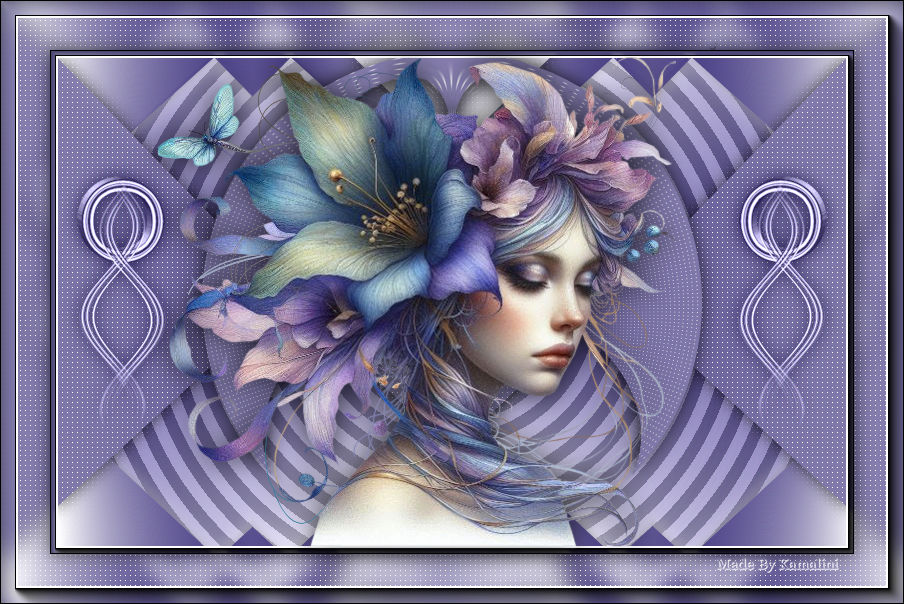
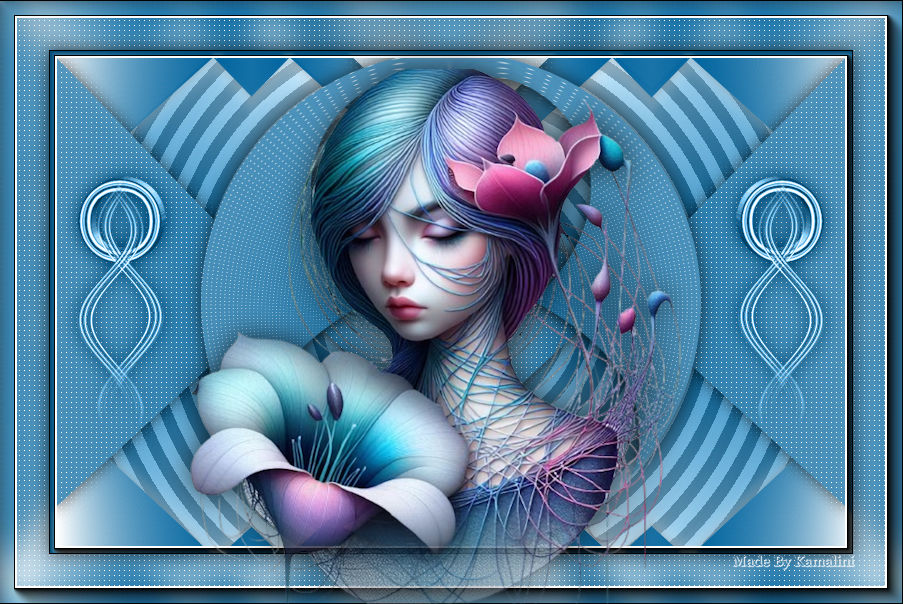
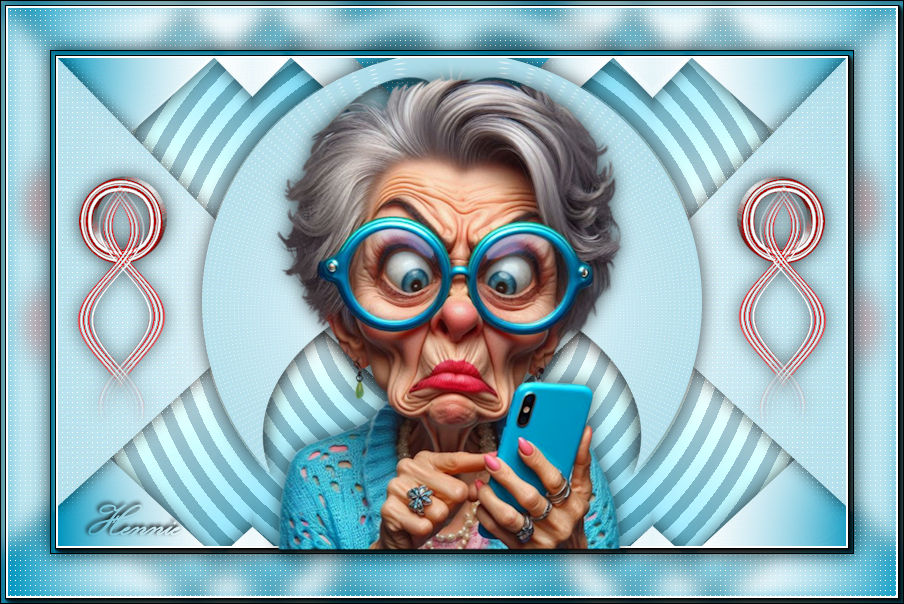
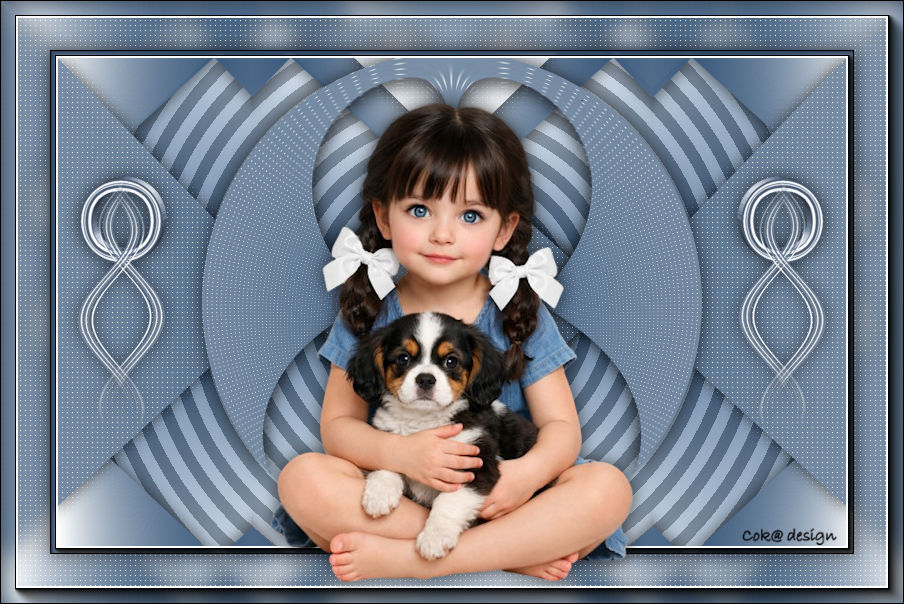
Voorbeelden gemaakt door Kamalini---Hennie---Corrie----Marion
Bedankt voor het contoleren en maken van de les.

|